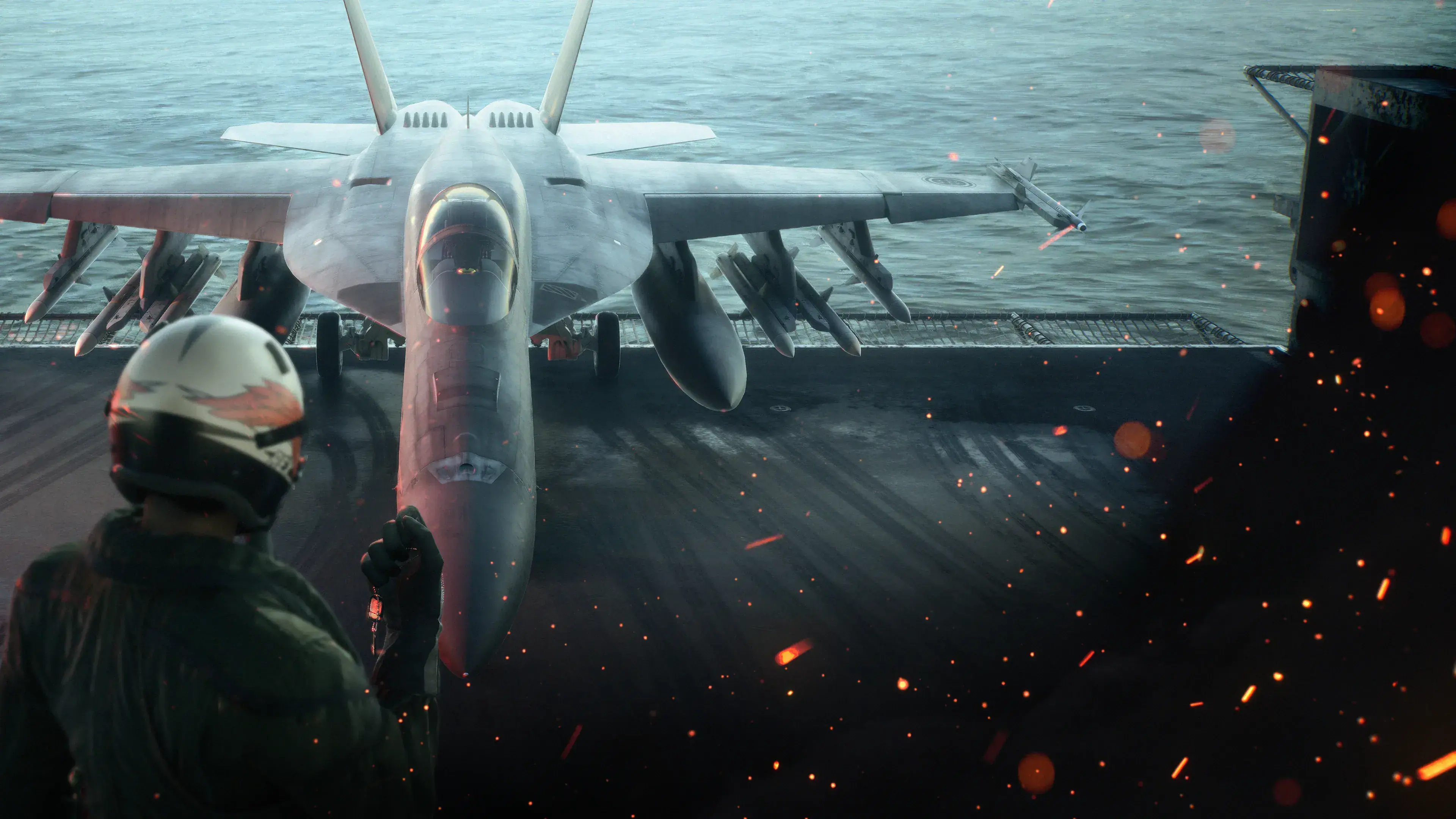
Ace Combat 8 mods are already available for the PC version of ACE COMBAT 8: WINGS OF THEVE, covering interface information, camera and FOV changes, HOTAS bindings, aircraft behavior, campaign restrictions, visual skins, localization, performance settings, save files, and cheats. Some are simple configuration replacements, while others require an AC8-compatible UE4SS setup or a separate offline launcher.
The important limitation is that there is no single installation method for every mod. Read the requirements for the exact download you choose, keep a clean rollback copy, and treat anything that changes flight behavior, weapons, unlocks, or campaign rules as an offline single-player modification. The PC release uses Easy Anti-Cheat, and several available mods explicitly say that multiplayer is unsupported or that they are for offline use only.
For control-specific setup, use HOTAS compatibility and mapping. For numeric campaign cheats rather than a mod installation, read the separate trainer setup guide.
Version scope — October 7, 2026: This page was edited from supplied research. No numbered game build or independent playtest is recorded for this guide. Tool compatibility follows the linked author’s release notes, not a test by this site.
What Ace Combat 8 mods currently change
Use the ACE COMBAT 8 Nexus catalog to find the author’s listing for the names below. Specific starting points are AC8HOTAS and its current installation docs, AC8 Low-End FPS Boost, and All in One Cheat Menu. Open each listing’s requirements and files before choosing a package; these are creator-hosted descriptions, not compatibility tests performed by this site.
The current catalog is broader than a collection of aircraft skins. It includes small information overlays, camera tools, control workarounds, rule changes, and major progression shortcuts. Start by identifying which category solves your problem instead of installing a large mixed stack.
| Mod category | Examples | What the category changes | Main caution |
|---|---|---|---|
| Interface information | Detailed Parts Descriptions, Unit Health Display, Weapon Stats Display | Adds numerical part effects, unit HP, or base weapon parameters to existing menus and labels | Several entries require UE4SS |
| Camera and presentation | FOV and HUD Scaling Combined, Per-View FOV, Dynamic PSM Camera | Changes field of view, HUD scale, or third-person camera behavior | Camera mods may overlap even when their settings look different |
| Flight controls | HOTAS binding mod, AnalogueYaw, HOTAS and TrackIR instructions | Exposes existing flight-stick actions, restores analogue yaw behavior, or uses controller emulation | Hardware support varies, and some methods require extra software |
| Aircraft behavior | All Aircraft PSM, proportional-guidance missile mods | Changes post-stall maneuver access, speed restrictions, or missile guidance | These alter gameplay and should be kept out of online play |
| Campaign rules | All Aircraft Carrier Capable, Anywhere Takeoff & Landing, M28 Real 3 vs 1000 | Removes aircraft restrictions or changes mission behavior and friendly forces | Mission scripts and launch methods can break after updates |
| Aircraft appearance | Su-57 Kushima Kamome livery | Replaces or changes an aircraft’s visual presentation | Confirm that the skin targets the aircraft and file variant you use |
| Parts and progression | Parts Overdrive, AC8 Parts Slots and Stats Plus, complete campaign save | Changes part strength, slot limits, statistics, or unlocked content | Back up saves and do not assume two parts mods are compatible |
| Performance configuration | AC8 Low-End FPS Boost | Reduces expensive visual features through an Engine.ini configuration | Higher frame rate comes with reduced visual quality |
| Localization | Thai Localization Mod | Replaces or adds translated game text | Updates may introduce untranslated or outdated strings |
| Cheat tools | All in One Cheat Menu | Unlocks content or bypasses normal progression | Keep it isolated from normal saves and online sessions |
This list describes what the mod descriptions claim to do; it does not guarantee that every file still works with the latest client build. Check the supported game build on the exact mod download; its upload date alone does not confirm compatibility with your installed client.
Choose mods by outcome
Improve information without redesigning combat
Start with display-focused mods if you want to understand loadouts rather than change their balance. Detailed Parts Descriptions adds numerical effects beneath the original descriptions and supports the game’s listed menu languages through automatic detection. Weapon Stats Display places base parameters beside the existing stat bars, while Unit Health Display adds current and maximum HP below friendly and enemy names.
These tools can make comparisons easier, but displayed numbers should not be treated as proof that a build is optimal. They expose or present information; your mission, aircraft, weapons, and flying style still determine whether a loadout is useful.
Adjust the camera or screen layout
The combined FOV and HUD scaling mod offers a settings-file approach for changing both elements. Per-View FOV instead provides separate values for cockpit, HUD-only, and third-person views, with in-flight controls and saved values. Because both touch the same general presentation layer, choose one first. Do not install both merely because their feature lists differ.
Dynamic PSM Camera has a narrower purpose: it keeps the third-person camera following the aircraft during post-stall maneuvers. Its listing includes a compatibility patch for All Aircraft PSM, so use that documented patch if combining those two. That specific patch does not establish compatibility with unrelated camera packages.
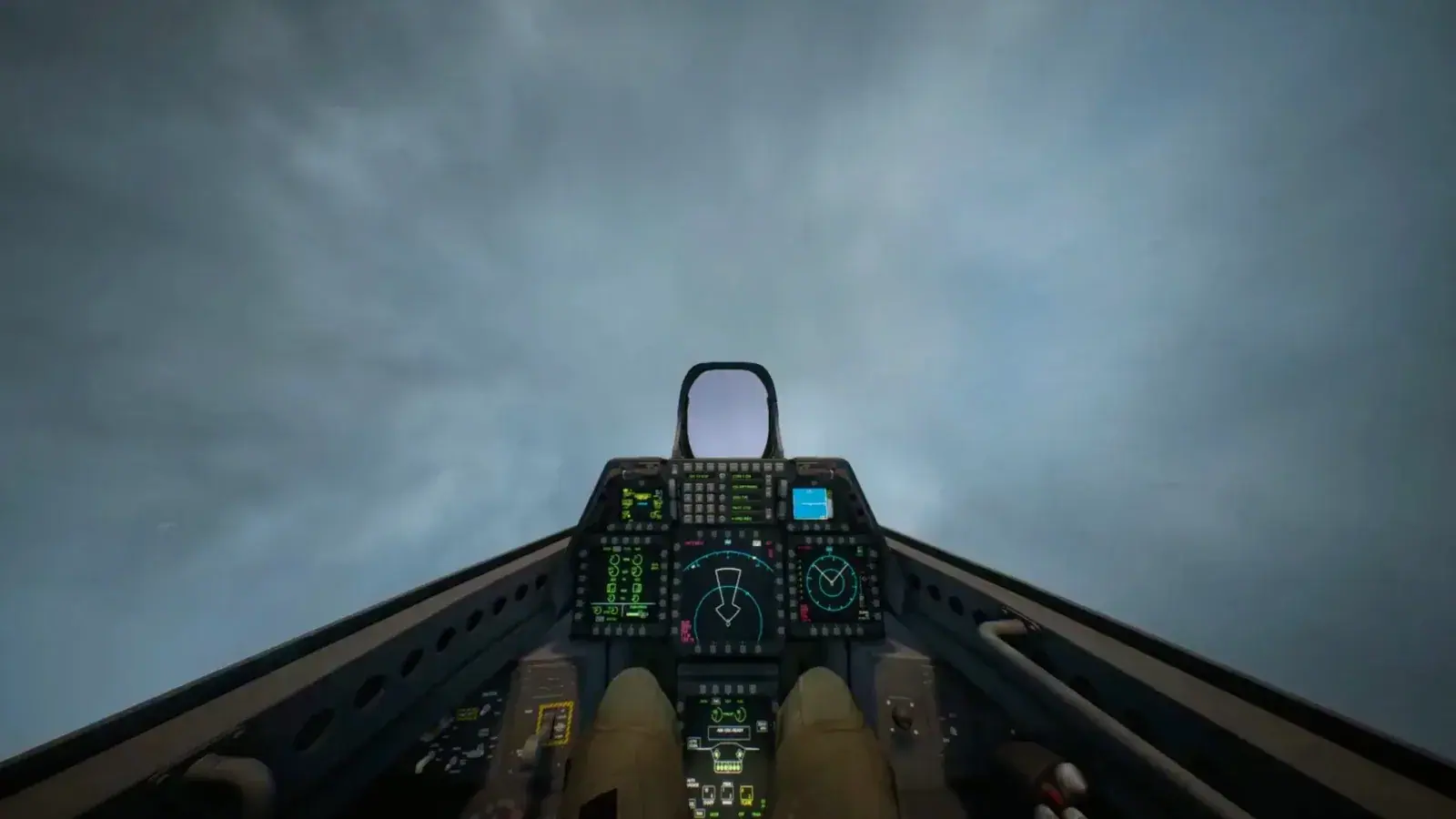
Shows the combined camera and HUD-scaling approach.
Change controls without changing missions
The community HOTAS binding mod uses a Bindings.lua file to map existing game actions to HOTAS inputs. Its author says the bindings can be re-read with F5 without relaunching the game. The separate AnalogueYaw component uses UE4SS and a hook to replace the calculated yaw target with the original analogue input.
Treat those as separate layers: bindings decide which input triggers an action, while AnalogueYaw changes how yaw-axis input is interpreted. The author warns that AnalogueYaw may crash after a game patch and may need to be disabled or removed. Community reports show successful setups on several devices, but they do not establish universal hardware compatibility.
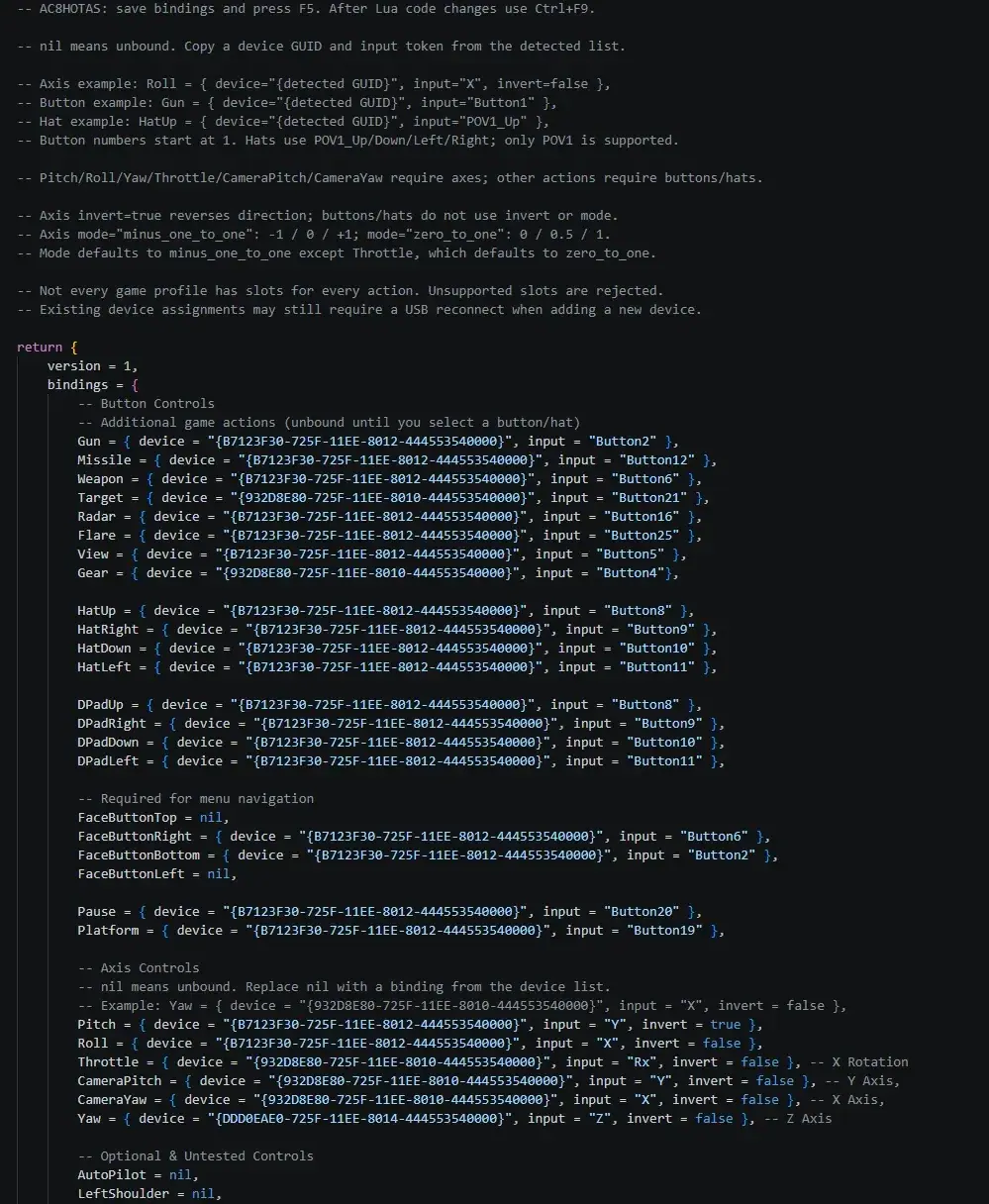
Shows the expected named-action binding structure.
Change campaign mechanics
Gameplay mods require the most restraint. All Aircraft PSM offers three mutually exclusive choices, including expanded high-speed maneuvers and a speed-restriction-only option. All Aircraft Carrier Capable removes campaign carrier restrictions and is explicitly marked for offline use. Anywhere Takeoff & Landing is a beta UE4SS script that allows landing-gear control during missions. The two proportional-guidance entries both change missile behavior, so treat them as alternatives unless their authors explicitly document coexistence.
Choose the smallest change that produces your intended result. Installing several rule-changing mods at once makes it difficult to tell whether a strange mission event comes from the game, one modification, or an interaction between them.
Install mods with a rollback path
There is no supported universal folder sequence in the current information, so follow each author’s current instructions rather than copying a path from another mod. Use this workflow around those instructions:
- Confirm the target. Make sure the download is for ACE COMBAT 8, not an Ace Combat 7 add-on with a similar aircraft or character name. A file listed for Ace Combat 7 does not establish compatibility with Ace Combat 8.
- Read the complete requirements. Check whether the mod needs UE4SS, an included launcher, controller-emulation software, DLC, a particular game build, or another compatibility file.
- Decide whether it is offline-only. Any page marked offline, campaign-only, single-player-only, or multiplayer-unsupported should be treated exactly that way.
- Back up affected user data. Preserve your unmodified save and any configuration file the mod replaces. A complete campaign save can overwrite normal progression, and an Engine.ini package replaces performance choices rather than simply adding a cosmetic asset.
- Install one foundation at a time. If UE4SS is required, establish that base first. Launch and test before adding the script or DLL that depends on it.
- Add one mod and test a repeatable scene. Use the same menu, free mission, camera view, or control input each time. A repeatable check is more useful than playing several missions and noticing a problem later.
- Record what changed. Keep the archive name, selected variant, installed files, and any edited settings together. This creates a removal checklist when a patch or conflict appears.
- Stop when the intended result works. Extra launchers, duplicate camera tools, and overlapping balance changes add failure points without helping the original goal.
Keep campaign and online play separated
ACE COMBAT ONLINE has its own multiplayer modes and progression, while the Steam release lists Easy Anti-Cheat. The available accounts do not provide a safe-mod list for online sessions. They do provide explicit warnings: All Aircraft Carrier Capable is offline-only, Per-View FOV is for offline single player, AC8 PGM is campaign-only with multiplayer unsupported, and Dynamic PSM Camera was tested only in single player.
Use those restrictions as a minimum boundary, not as a guarantee that unlabelled mods are safe online. A cosmetic-looking file, information overlay, loader, or injected DLL can still alter files or runtime behavior. The cautious workflow is to disable the mod loader and restore a clean setup before entering ACE COMBAT ONLINE. A mod cannot be assumed to avoid anti-cheat action, so do not promise or assume that outcome.
Save files and cheat menus deserve the same separation. The available complete campaign save requires DLC according to its listing and includes broad campaign unlocks. It should not be used as a substitute for diagnosing a broken mission, missing entitlement, or normal aircraft-tree progression.
Troubleshoot one variable at a time
If the game launches but the mod does nothing, begin with activation and dependencies rather than reinstalling everything.
- Recheck whether the selected file is a UE4SS script, a configuration replacement, a launcher package, or instructions for an external input-emulation setup.
- Confirm that the required loader recognizes the mod. A community report notes that another package’s
mods.txtormods.jsoncan omit the HOTAS mod from the active list. - For the HOTAS binding mod, verify the device identifiers and bindings, then use its documented F5 reload. Recognition of a device does not prove that every action is mapped.
- Remove the newest addition if a previously working setup stops responding. This is faster than changing several bindings, loaders, and game settings together.
- If crashes begin after a game update, disable code-hooking components first. AnalogueYaw is specifically identified by its author as potentially fragile after patches.
- If two mods affect the same system—such as FOV, missile guidance, PSM behavior, parts statistics, or progression—test them separately before looking for a combined setup.
- Restore the backed-up file when removal instructions are incomplete. Do not leave an unknown DLL, launcher, or modified configuration active while testing the clean game.
A successful launch only proves that the current combination starts. Test the actual feature it claims to change, complete a short offline session, restart once, and confirm that your save and settings still behave as expected before adding another mod.