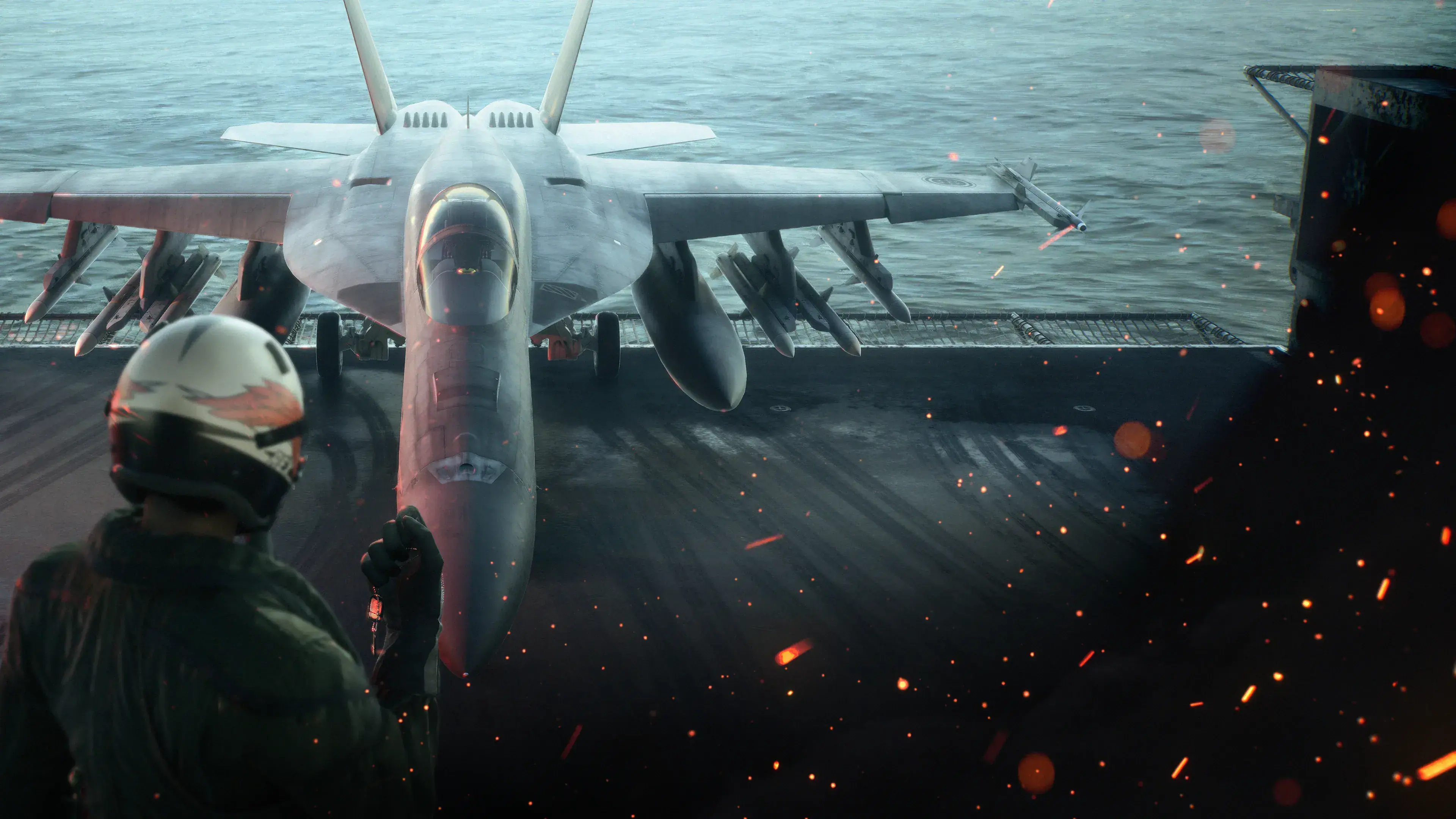
Ace Combat 8: Wings of Theve is available on Xbox Series X|S. It includes the single-player campaign and ACE COMBAT ONLINE, with cross-platform multiplayer supported in the online mode. Xbox One support, Xbox Game Pass availability, Xbox Play Anywhere, and cloud gaming are not established, so do not base a purchase on any of those features unless the current Xbox store listing explicitly adds them.
If you already own the game, the safest path is to confirm that you are using the purchasing Xbox account, install the base game and current updates, and treat Campaign Mode and ACE COMBAT ONLINE as separate progression systems. If you are still deciding which edition to buy, compare the present-day benefits rather than the expired value of launch-period early access.
Xbox Series X|S support and important limits
The Xbox version is specifically listed for Xbox Series X|S. That is the platform label you should see before purchasing, redeeming a code, or starting a remote installation.
| Feature | What you can safely rely on |
|---|---|
| Supported Xbox consoles | Xbox Series X|S |
| Single-player | A story campaign with aircraft, weapons, parts, wingman commands, mission replay, and higher-difficulty challenges |
| Online play | ACE COMBAT ONLINE, including cooperative and competitive mission types |
| Cross-platform multiplayer | Supported in ACE COMBAT ONLINE |
| Shared campaign and online progression | No. The online mode has separate save data and progression |
Cross-platform play should not be confused with cross-buy, cross-save, or Xbox Play Anywhere. It means Xbox pilots can enter supported online activities with players on other platforms. It does not establish that ownership or progress transfers between platform families.
The available information also does not provide a verified Xbox resolution, frame-rate target, exact installation size, or feature comparison between Series X and Series S. PC requirements and footage captured on another platform cannot answer those questions. Check the live Xbox product page and the installation screen on your console for the current size and platform-specific notices.
Buy the right edition on the right account
The Standard Edition is the straightforward choice if you only want the full game. The Deluxe Edition combines the full game with additional content, including a Premium Ace Pass Plus voucher and a cosmetic set. Its former three-day early-access period has no remaining practical value after release.
Use the dedicated Ace Combat 8 Deluxe Edition guide for the complete ownership and redemption breakdown. It lists the individual items and their mode restrictions.
Before paying, make these checks:
- Use the Xbox profile that should own the game. If several people use the console, look at the profile shown in the store before completing the purchase or redeeming a code.
- Search for the full title. Use “Ace Combat 8: Wings of Theve” so you do not confuse the base game with an add-on, pass, or individual aircraft listing.
- Confirm the platform line. It should identify Xbox Series X|S. Do not assume that a Series listing also grants an Xbox One version.
- Compare the edition contents shown at checkout. Store offerings can change after launch. Judge the purchase by the benefits currently displayed, not by an old preorder graphic.
- Review the current price and install size. Prices can vary by region, while the required space may change as updates are added.
The Deluxe Edition remains available after launch, but launch-only early access is not an ongoing entitlement. Similarly, the original preorder offer should not be treated as a guaranteed inclusion in a new purchase. If a store bundle or code claims to include a former preorder benefit, verify that exact offer before paying.
Install Ace Combat 8 on Xbox Series X|S
For a digital purchase, use this installation sequence:
- Sign in to the Xbox profile that bought or redeemed the game.
- Open the console’s owned-games library or return to the Ace Combat 8 product page.
- Select the full game rather than a pass, cosmetic set, or individual aircraft add-on.
- Choose the target storage location if your console offers more than one suitable destination.
- Keep enough free space for the displayed base installation and any update downloaded with it.
- Allow the installation queue to finish before troubleshooting missing modes or content.
- Start the game with the purchasing profile for the first ownership check.
Xbox menu names may change with system updates, but the ownership check is the important part: the console must see the game license on the active account. If another household profile made the purchase, switching accounts is a better first test than reinstalling a large game immediately.
Do not use the published PC storage requirement to estimate the Xbox download. The console build, compression, language files, and current patches can produce a different figure. The number displayed by your Xbox immediately before installation is the relevant one.
After the base game is ready, check whether extra edition content has its own install or redemption action. A pass voucher is an entitlement to redeem, not proof that every associated reward has already been claimed. Some content can also carry mode-specific conditions, so an item not appearing in Campaign Mode does not automatically mean that the Xbox installation failed.
Fix ownership and installation problems first
If the game or purchased content does not appear, work from account and license checks toward more disruptive steps:
- Confirm the active profile. Look at the account’s purchase history or owned-games library. A receipt on a different profile explains why the current one cannot start the game.
- Inspect the queue. A paused base download, unfinished update, or add-on waiting behind another title can leave the installation incomplete.
- Recheck available storage. The game may require additional working space while an update is being applied, even when the original download appeared to fit.
- Restart the console after the queue finishes. This can refresh the installed-content list without deleting anything.
- Open the game’s installed-content screen. Confirm that the base game is present before diagnosing a Deluxe item or pass reward.
- Reinstall only after ownership is clear. Repeatedly downloading the game will not fix a purchase made on the wrong account or a voucher that was never redeemed.
Avoid deleting local save data as an early troubleshooting step. Campaign Mode and ACE COMBAT ONLINE maintain distinct progress, and removing data is materially different from reinstalling game files. Establish whether the problem concerns the license, installation, update, voucher, or in-game progression before changing saves.
An online connection problem also does not prove that the campaign installation is broken. Test whether the game reaches its main menu and whether Campaign Mode opens, then diagnose online access separately.
What the Xbox version includes
Spoiler note: The following overview describes the opening premise and game modes only. It does not reveal later missions or major story outcomes.
The campaign is a story-driven arcade air-combat experience set in Strangereal. You fly as the pilot who inherits the “Wings of Theve” identity and joins Joker Flight in the effort to reclaim the Federation of Central Usea. Missions combine aerial engagements with attacks on ground, naval, and large-scale targets.
Before sorties, you select an aircraft, special weapons, and enhancement parts. Campaign earnings are used to unlock more equipment, while wingman commands let you direct squad members during combat. The handling is built around fast, close-range action rather than strict flight simulation, so carrying out the mission matters more than reproducing real-world aircraft procedures.
New players can use the tutorial and training options to learn the controls before committing to harder missions. Choosing an accessible difficulty and practicing target switching, missile evasion, pitch control, and weapon selection is more useful than copying advanced advice before the fundamentals feel comfortable.
The campaign also supports mission replay and higher-difficulty challenges. However, it is a single-player campaign: references to cooperative play describe ACE COMBAT ONLINE, not a cooperative version of the story.
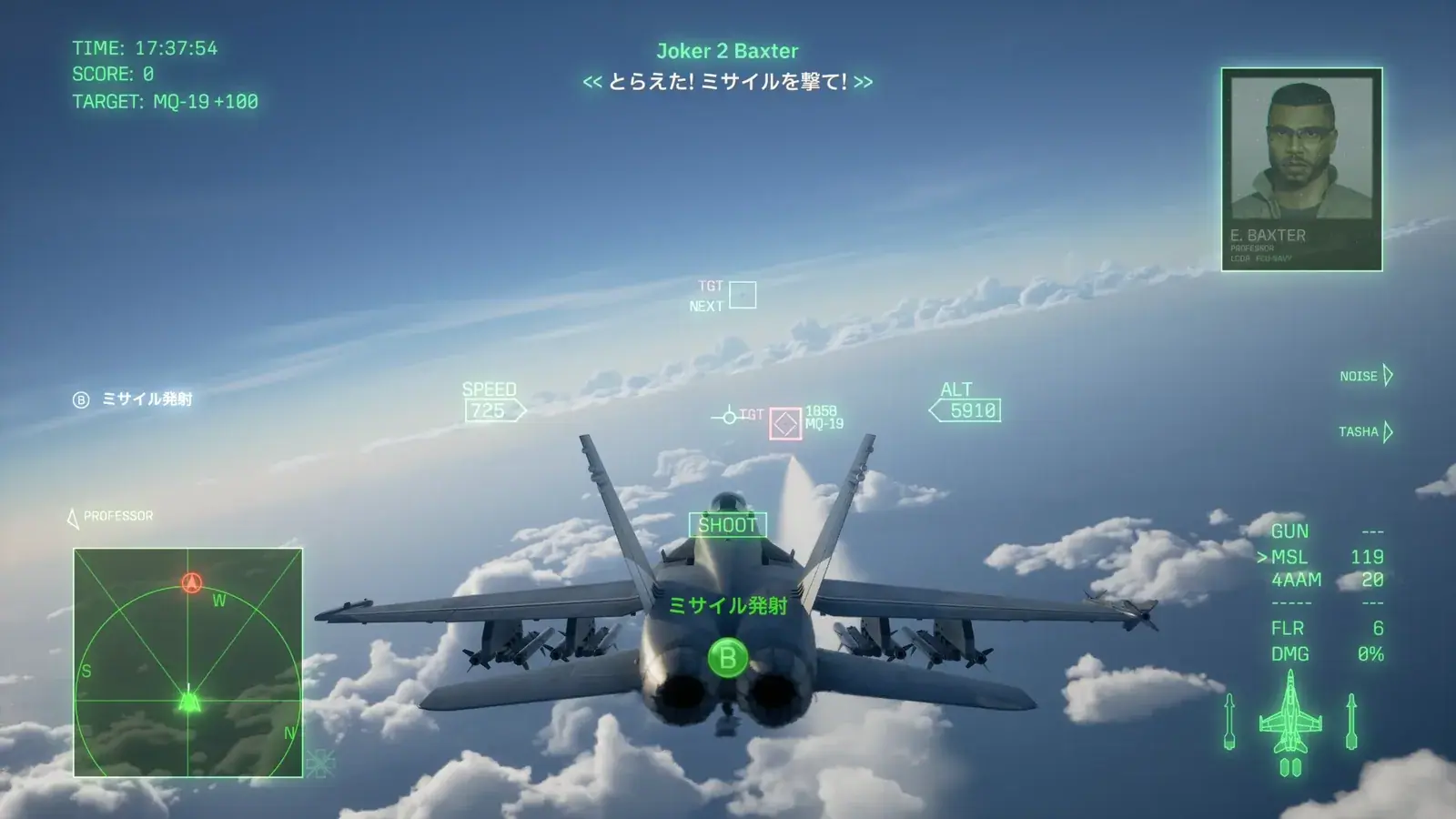
The campaign HUD displays flight data, target tracking, weapons, and mission prompts.
ACE COMBAT ONLINE on Xbox
ACE COMBAT ONLINE is a multiplayer-only mode with its own save data, aircraft acquisition, and progression. Campaign aircraft, currency, and unlocks should not be expected to transfer into the online hangar. Even though the playable aircraft roster is shared conceptually between the modes, aircraft must be acquired through the online reward structure for online use.
The two core mission types are:
| Mode | Structure |
|---|---|
| Co-Op Assault | Two four-player teams fight NPC forces and compete for the higher mission score |
| Co-Op Warfare | Two four-player teams fight each other while air, land, and sea NPC units remain active |
Special missions can also appear for a limited time while playing the core modes. Scramble brings four players together against strong NPC forces, while Emergency Sortie can unite up to eight players against major series superweapons. These activities are separate from the campaign and should not be described as story co-op.
Cross-platform support broadens the pool of pilots you may encounter, but it does not guarantee that every friend, lobby, region, or network condition will produce an immediate match. It also does not establish cross-platform ownership or progress transfer. When organizing a group, compare the current in-game lobby and invitation options rather than assuming that the Xbox system-level friends list controls every cross-platform function.
Online rewards include aircraft, upgrade materials, and cosmetics through the mode’s progression systems. If a reward appears missing, first confirm its mode, pass tier, level condition, and redemption state. A campaign restriction or an unredeemed pass benefit can look like an installation problem even when the Xbox files are intact.
Xbox purchase checklist
Ace Combat 8 is a sensible Xbox purchase when you have a Series X or Series S and want fast arcade-style dogfights, a dedicated single-player campaign, and a separate cross-platform online mode. Before checkout, verify these points on the current store screen:
- The listing says Xbox Series X|S.
- You are signed in to the account that should own the game.
- You selected the intended Standard or Deluxe edition.
- You reviewed the current price, download size, and included content.
- You understand that Campaign Mode and ACE COMBAT ONLINE have separate progression.
- You are not assuming Xbox One, Game Pass, Play Anywhere, cloud gaming, or cross-save support from the Series X|S listing.
That final check prevents most expectation problems. Buy for the Xbox Series X|S features that are explicitly shown, install through the owning account, and evaluate optional edition content by its current benefits rather than expired launch timing.