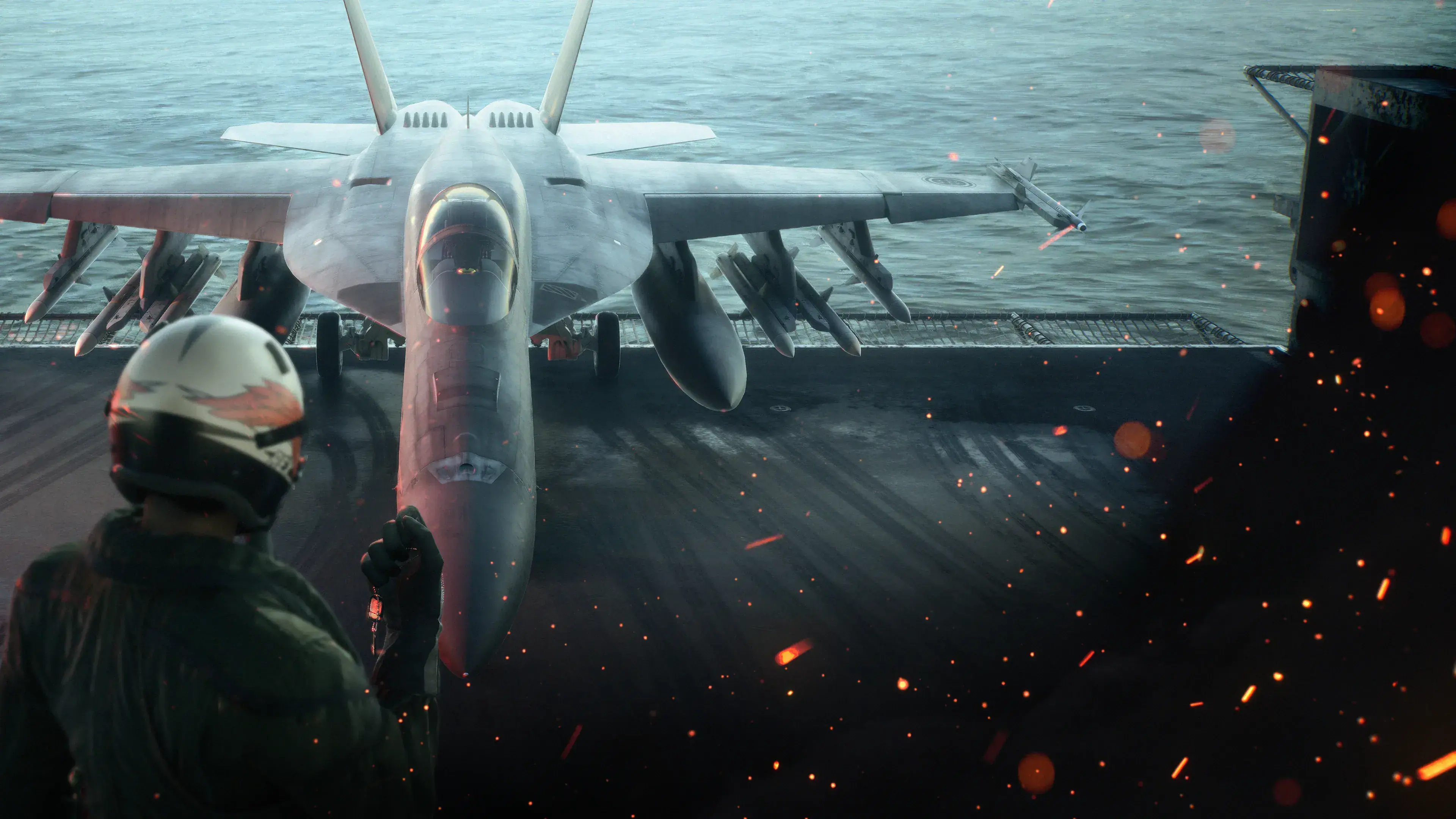
ACE COMBAT 8: WINGS OF THEVE does not have an officially supported native VR mode. The released game is listed for PlayStation 5, Xbox Series X|S, and PC through Steam, but the official product information does not list PSVR2, SteamVR, OpenXR, or another VR platform. Its first-person presentation and cockpit views do not change that status.
You can still display the ordinary flat PC game inside some headsets as a virtual screen. That is not stereoscopic VR, however, and it does not add head-tracked cockpit movement or a VR-specific interface. Community videos also demonstrate an experimental PC injector route, but those demonstrations show major limitations and raise anti-cheat concerns. It should be treated as an unsupported modification, not as a working VR edition.
The official VR support status
The safest buying answer is simple: do not purchase ACE COMBAT 8 on the assumption that it includes native VR. None of the three released versions is identified as a VR edition in the official product listings.
| Platform | Official native VR status | What the listing establishes |
|---|---|---|
| PlayStation 5 | Not listed | The game is available on PS5, but the official product listing does not advertise PSVR2 support. |
| PC through Steam | Not listed | Steam lists the normal PC game and controller support, but its official feature panel does not identify a VR mode. |
| Xbox Series X|S | Not listed | The Xbox release is a conventional console version with no advertised official VR option. |
The Steam page may display VR as a user-defined tag. That tag is not equivalent to a supported Steam feature. Store users can apply descriptive or speculative tags, whereas the official feature panel is where Steam normally identifies supported functionality. For this decision, rely on the platform and feature listings rather than the tag cloud.
The official PC requirements are also framed around conventional monitor play. Their performance targets describe an upscaled 1080p flat-screen workload, not a tested headset resolution or VR frame-rate target. They therefore cannot be used as a VR hardware recommendation.
Native VR, a virtual screen, and a mod are different experiences
Three different setups are often grouped under “playing ACE COMBAT 8 in VR,” but they deliver different results and carry different levels of support.
| Setup | Head-tracked view | Stereoscopic game world | VR-specific interface | Officially supported |
|---|---|---|---|---|
| Native VR mode | Expected as part of the mode | Expected | Designed for headset use | No such AC8 mode is listed |
| Flat game on a virtual headset screen | No game-native head tracking | No | Normal flat interface | This is a headset display method, not an AC8 VR feature |
| Community injector or modification | May add a head-tracked 3D view | May be attempted | Can be incomplete or misplaced | No |
A native mode is more than putting two images in a headset. It needs a suitable camera, stable stereo rendering, head tracking, readable targeting information, comfortable menus, and predictable behavior when the player turns away from the aircraft’s forward axis. Flight combat also depends heavily on radar, lock indicators, threat warnings, subtitles, mission prompts, and wingman commands. If any of those layers remain attached to an invisible or incorrectly positioned flat display, the result may look impressive while still being difficult to play.
Why the first-person presentation is not a VR mode
ACE COMBAT 8 uses cockpit gameplay and first-person story scenes to place the player close to the action. Official descriptions emphasize first-person scenes aboard the carrier, detailed aircraft, large skies, and an immersive pilot perspective. These are presentation choices within the standard game.

An official ACE COMBAT 8 carrier-deck scene illustrates its flat-screen presentation.
A first-person camera does not establish headset support. On a monitor, the game controls the camera and places its interface for a fixed rectangular view. Native VR normally lets the headset influence the view continuously while rendering the scene and interface for two eyes. AC8’s use of the word “immersion” in promotional material should therefore be read as a description of its audiovisual presentation, not as confirmation of virtual-reality hardware support.
Cockpit view is still useful for conventional play, and the surrounding aircraft detail may be exactly what attracts VR players. It simply does not turn the released game into a PSVR2 or PC VR title.
Playing the flat PC game inside a headset
A headset’s desktop or theater feature may let you view the normal PC output on a large virtual screen. In that setup, ACE COMBAT 8 continues to run as the flat game. Your controller inputs, camera options, menus, radar, and mission interface remain the standard versions.
This option can make the image feel larger and can block distractions around you, but set expectations correctly:
- The game world is presented on a virtual panel rather than surrounding you as native VR space.
- Turning your head usually changes where you look within the headset environment, not where the pilot looks inside the cockpit.
- Depth comes from the virtual-screen presentation, not from an officially rendered stereoscopic AC8 scene.
- The normal interface remains intact, which is valuable because combat depends on information placed around the screen.
- Image clarity, latency, and comfort depend on the headset’s desktop-streaming method and your PC setup, not on an AC8 VR profile.
Use this route if your goal is simply to play on a private or cinema-sized display. It is the lowest-risk headset option because it does not require changing the game, but it should never be described as native ACE COMBAT 8 VR.
The unsupported PC injector route
Community demonstrations show attempts to run the PC campaign through a general Unreal Engine VR injector. They are individual experiments rather than official compatibility tests. The demonstrations report that a 3D cockpit view and head movement can be produced, but they also expose the exact problem that makes “it launches” an inadequate compatibility verdict.
The most serious reported limitation is missing interface information. In the demonstrated setup, the normal radar and important HUD elements were not reliably available. The player sometimes had to search visually or use mission dialogue to infer where targets were located. That is a material gameplay problem in missions built around interception, target switching, threat awareness, and defending objectives under time pressure.
Other reported problems include incorrect cloud rendering until injector settings are changed, controller bindings colliding with the injector menu, and uncertain behavior outside the early campaign missions shown. A creator’s claim that a setup is “playable” only proves that this person completed the demonstrated sequence under their own conditions. It does not prove full-campaign compatibility, stable performance, correct cutscenes, reliable checkpoints, or support for every aircraft and mission interface.
Most importantly, the PC release uses Easy Anti-Cheat. The demonstrated workaround involves starting the game outside its normal protected route so an injector can attach. This page does not recommend or provide that procedure. Altering the launch path or disabling a protection layer can create security, account, update, and multiplayer risks. Do not take an experimental campaign demonstration as permission to use modified software in ACE COMBAT ONLINE.
If you are evaluating any future community profile, require evidence for all of the following before calling it usable:
- Radar, lock markers, warnings, subtitles, mission prompts, and command indicators remain readable in the headset.
- Menus, briefing screens, story scenes, checkpoints, and mission replays do not trap the camera or place information outside view.
- Clouds, weather, shadows, cockpit glass, particles, and distant targets render correctly in both eyes.
- Controller commands do not conflict with injector shortcuts.
- Testing covers more than one introductory mission and clearly identifies the game build and injector profile used.
- The method does not require entering online modes with anti-cheat disabled or bypassed.
Until those conditions are independently demonstrated, the mod route remains an experiment for technically experienced users, not a reliable answer for someone who primarily wants to play AC8 in VR.
ACE COMBAT 7 VR missions do not carry over
ACE COMBAT 7 included a limited set of dedicated PlayStation VR missions. Those missions belong to ACE COMBAT 7 and were separate from its full standard campaign. Owning them, installing ACE COMBAT 7, or using compatible PlayStation VR hardware does not unlock VR content in ACE COMBAT 8.
This distinction matters because search results, old videos, and community comments often discuss “Ace Combat VR” without naming the game or mode. Check the title shown in the footage and whether the creator is demonstrating official AC7 VR missions, a flat AC8 cockpit view, or an injected PC experiment. Footage from one category is not evidence for either of the others.
The AC7 precedent also does not guarantee that AC8 will receive a later VR update. Community hopes, guesses about DLC, and requests for PSVR2 support are not release announcements. No official AC8 VR edition is confirmed at launch or during Season 1.
The right choice for each type of player
Choose based on the experience you actually require:
- You only want to play ACE COMBAT 8: Buy for the standard campaign or ACE COMBAT ONLINE on a supported platform. Treat cockpit view as a flat-screen camera option.
- You want a large display inside a headset: Use a normal virtual-screen feature if your PC and headset provide one. Expect the complete flat interface, not head-tracked flight.
- You require official PSVR2 or PC VR support: Wait. The current product listings do not advertise that support.
- You are considering an injector: Assume incomplete HUD support, extra performance demands, update breakage, and anti-cheat risk until a current profile is thoroughly verified.
- You want the official Ace Combat VR content already documented: Make sure you are looking specifically at the dedicated ACE COMBAT 7 VR missions and their original hardware requirements, not AC8.
Do not use attractive cockpit footage as the sole purchase test. Before buying for headset use, verify that the current store page explicitly names your VR platform and that official material describes the supported modes. A creator looking around a cockpit proves that a particular image was rendered; it does not prove native support, complete controls, safe online use, or a playable campaign.
What would count as confirmed future support
A genuine status change would require a first-party announcement or updated platform listing that clearly names VR support. Useful confirmation would specify the headset platform, whether support covers the campaign or only separate missions, required controllers, comfort options, and whether online play is included.
A new user tag, a community request, injector footage, or a developer discussing immersion would not be enough. Likewise, an AC8 patch without explicit VR notes should not be interpreted as a hidden VR update. Recheck the official product features and release notes if a later announcement appears, because community profiles and store metadata can change independently of the game.
At launch and during Season 1, ACE COMBAT 8 is a standard flat-screen game with immersive first-person elements, not an officially supported VR release.