For Ace Combat 8 Mission 16 ship locations, begin inspecting the cargo traffic in the northwest shipping area, the search region reported by the linked walkthrough. The three disguised hostile ships share three cranes on deck and a sun emblem on the hull. Confirm both on the same vessel before attacking; a target lock alone does not identify a terrorist ship.
This page covers the search. Continue to the Mission 16 walkthrough for the explosive UAV phase, Currus and replay requirements.
Identify the right ship
| Check | What you need to see |
|---|---|
| Vessel | A container/cargo ship in the stopped traffic |
| Deck | Three cranes |
| Hull | A sun-shaped emblem |
| Firing decision | Both visual clues confirmed on that vessel |
Use the sun’s shape rather than depending on a specific color. Existing player reports dispute color wording, while the structural clue remains usable. A civilian vessel can still be lockable, so do not use a missile to test your identification.
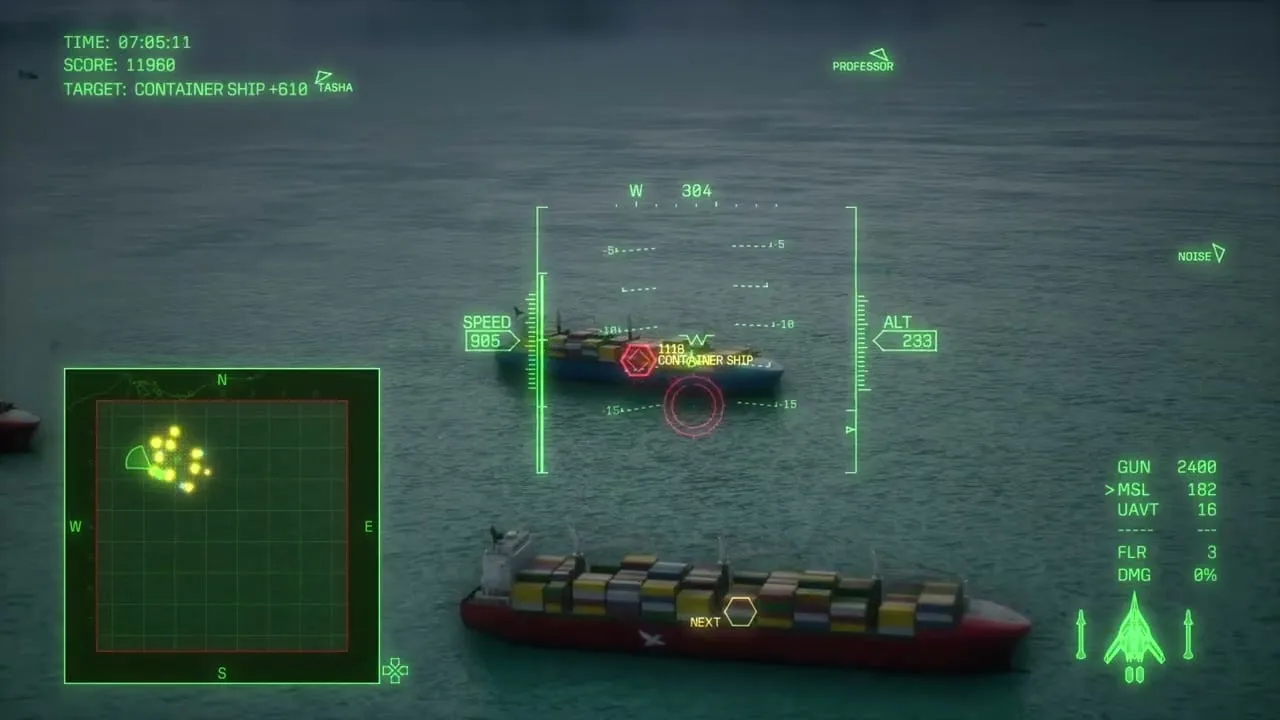
Inspect the cargo groups systematically; this overview is not an exact-coordinate spawn map.
Search the northwest area
- Check your map orientation and head toward the northwest traffic.
- Make a broad pass that exposes the ships’ decks.
- Count cranes and reject vessels that do not match.
- Approach a matching candidate from the side to see the hull marking.
- Confirm the emblem before releasing a weapon.
- Move to the next uninspected group after a confirmed target is destroyed.
The northwest region is a guide-author observation. Keep inspecting the markings if a ship is not where you remember it. There is no verified fixed-coordinate map on this page.
A failed inspection pass should end with a new viewing angle, not a speculative shot. If the bow hides the emblem, extend beyond the vessel and return alongside it. If nearby fighters interrupt the search, deal with the immediate interference and return to the same uninspected group.
After destroying the second ship
A separate ship-location guide reports that the third vessel attacks and reveals itself after the second is sunk. Watch for that hostile action and the current mission target, but keep the visual checks available if your run does not show the reported sequence.
Do not remain over the second sinking vessel. Use the moment after its destruction to scan the radar and the surrounding traffic, then turn toward the newly identified threat.
Keep the UAV phase ready
The ship search does not establish a reliable way to skip every explosive UAV launch. Preserve air-to-air ammunition while inspecting the traffic. Once EXPLOSIVE UAV becomes the urgent objective, switch to interception and follow the live altitude and remaining-target calls.
For an Assault Record replay, Currus is tied to the UAV launch in the Steam 25201480 mission data. Check the Aces checklist before turning a fast normal clear into a collectible attempt.
Sources and version scope
Search guidance checked October 15, 2026. Location and third-ship behavior are attributed walkthrough observations, not an exact spawn map or a site playthrough.
- Tpose Gaming Mission 16: northwest search region and identifying features; updated October 12.
- GamerBlurb ship locations: reported third-ship reveal.
- Mission 16 player discussion: identification wording and UAV reports.
- Mission 16 data: Currus requirement from Steam build 25201480.