
To launch the ACE COMBAT ZERO preorder bonus on Steam, start from ACE COMBAT 8’s Steam Library entry and use the launch selection for ZERO when it is available. The bonus is distributed through ACE COMBAT 8 rather than through a confirmed separate Steam application. If the option is missing, first check the preorder entitlement and installed associated content; do not look for a ZERO mission inside the AC8 campaign.
As of October 10, 2026, the latest retained distribution update says that a standalone Steam application is being evaluated. Its implementation and timing are still under review. That is a possible future change, not confirmation that you can already download ZERO independently. On PS5 and Xbox Series X|S, the downloaded bonus can be launched as its own game executable.
Confirm that the account owns the bonus
ACE COMBAT ZERO: THE BELKAN WAR was offered as a preorder bonus for ACE COMBAT 8. It is the port of the 2006 game, not a bonus mission added to the new campaign and not the HOUR ZERO live-action prelude. Those names refer to different things, so checking the correct title is the first step.
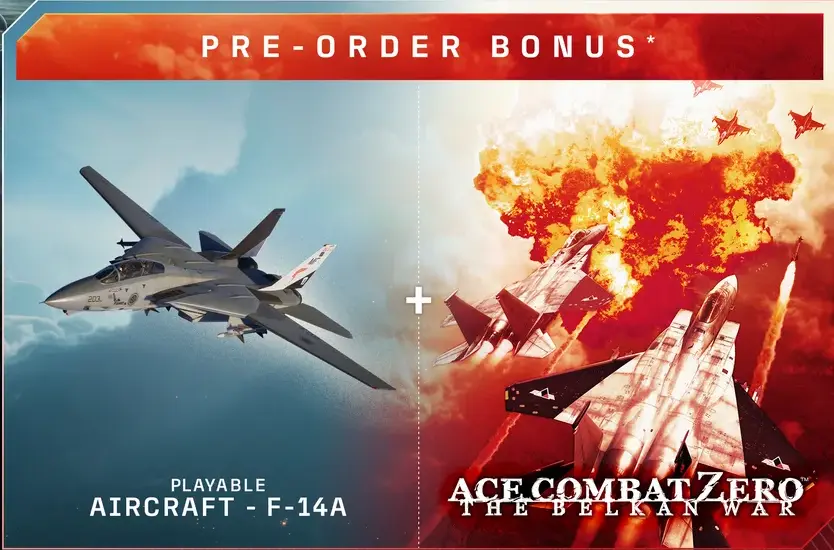
Historical preorder contents. This illustration identifies the bonus titles; it is not a launch menu or a current purchase offer.
The preorder offer applied to Standard as well as the editions above it. Deluxe was not the only qualifying edition. However, buying Deluxe after release does not, by itself, establish that the earlier preorder bonus is included. Use the order date and the actual package description from your purchase to identify the entitlement.
If you ordered through a retailer, retain the receipt and any instructions delivered with the product. A printed base-game code, an associated bonus code, and an account already containing the digital bonus are different delivery situations. Follow the instructions actually supplied with your purchase rather than assuming every retailer used the same method.
The F-14A preorder aircraft can be a useful clue, but it is not a complete entitlement audit. Seeing one piece of content does not explain why another is unavailable. When contacting support, state which bonuses are present and which are missing. That is more precise than describing the entire preorder package as absent when part of it is already attached to the account.
Use the Steam Library entry instead of an old shortcut
- Open Steam and sign in to the purchasing account.
- Find ACE COMBAT 8: WINGS OF THEVE in Library.
- Let pending installation or update work finish.
- Press Play from the Library entry.
- If a launch selection appears, choose ACE COMBAT ZERO: THE BELKAN WAR.
- Start the selected title and confirm that you reach ZERO rather than the AC8 campaign.
This path is useful because a shortcut that launches AC8 directly may not show the same selection as the Library button. If you have only tried a desktop icon, repeat the check from the Library before treating the absent dialog as an entitlement failure. Do not assume that the choice must appear inside AC8’s own main menu.
If Steam always starts AC8, inspect the entry’s launch preferences for any previously remembered selection. Use the options actually displayed by your client. If an option lets you choose the title or ask at launch, select the appropriate behavior, then test Play again. Avoid adding an unverified command-line argument that might simply force the same executable another way.
A successful launch selection is different from a separate library application. The currently documented arrangement can let you choose ZERO while it remains distributed through AC8. Do not keep searching for a second store purchase merely because the bonus does not resemble a normal standalone Steam title.
Inspect associated content when ZERO does not appear
Open ACE COMBAT 8’s Properties from the Steam Library context menu, then inspect its DLC or associated content list. Look for the ZERO bonus attached to the account and whether it is selected for installation. Complete any offered download before repeating the Library launch test.
This check answers two questions that should remain separate: whether the account has the bonus and whether the required content is installed. An unchecked or unfinished download is different from a missing entitlement. If ZERO is not listed at all, reinstalling the same base-game files is unlikely to clarify what the account owns.
Use the list you actually see. Player reports show cases where only the F-14 aircraft and a skin were listed, while other owners could see ZERO and receive the launch selection. That makes the precise content list worth recording. It does not establish one universal cause for every missing option.
If the content is listed and installed but the title will not start, use Steam’s normal file verification for the relevant game installation, then repeat the same launch path. Keep the error wording if the launch fails. File verification is a diagnostic step for an installed copy; it does not create a preorder license that is absent from the account.
Keep the current Steam storage arrangement in mind
The distribution issue matters especially when you want to play ZERO on a device that cannot comfortably hold ACE COMBAT 8. The documented Steam arrangement distributes the bonus through the main game. Do not assume that copying a small folder or adding an executable as a non-Steam shortcut reproduces a supported independent installation.
A launch shortcut and a download method solve different problems. A shortcut can point to content already present; it does not prove that the content can be downloaded without the associated game. Likewise, finding an executable on a desktop does not show how its entitlement, files, or launch dependencies will behave on another device.
For a supported first check, use the normal Steam installation and its launch selection on the account that owns the bonus. If storage is the barrier, keep that limitation explicit. Do not delete uncertain files from the main installation based on a forum estimate of what ZERO needs. That can turn a distribution question into an avoidable damaged-installation problem.
The material available here does not establish a current independent ZERO download size or guarantee compatibility on every handheld operating system. Record the exact device and environment if you need support for a failure there. An owner successfully launching on one setup does not establish the same result for every other setup.
Follow the console installation path separately
On PS5 and Xbox Series X|S, the bonus is distributed as downloadable content that can be launched as its own executable after installation. Start by checking the purchasing account’s game library and the associated preorder content, then install the ZERO download offered for that account.
Once installed, launch the ZERO entry from the console’s game interface. You are looking for the ported game itself, not an AC8 campaign option. If it is absent, check the content tied to your specific order or redeemed code and retain the account’s ownership record for support.
Do not copy the Steam limitation onto the consoles. Conversely, the fact that the console version launches separately does not prove that Steam already offers an equivalent standalone application. Distribution can differ by platform even when the preorder bonus has the same name.
If a physical preorder included additional redemption instructions, follow those before concluding the download is missing. The base-game disc and an associated account download are not the same item. Keep the disc, packaging, receipt, and redemption record available until the bonus is confirmed, especially if the retailer needs to verify what was supplied.
Understand the standalone Steam update correctly
The first distribution explanation described licensing and platform considerations behind making ZERO available through ACE COMBAT 8. A later update, published on October 2, says discussions have led to evaluating a change in that method, including the possibility of a standalone Steam application.
That later wording matters. It means the earlier arrangement is being reconsidered; it does not justify saying a separate app will never exist. It also does not announce a completed change. Specific implementation details, distribution timing, and whether the approach can ultimately be realized remain under review.
Treat a future separate application and a future separate purchase as distinct claims. A distribution change for existing bonus owners would not automatically mean that anyone can buy ZERO from a new store page. The current information does not establish such a retail offer, price, or transfer process.
Before changing your installation strategy around a new arrangement, check for an actual finalized distribution notice in Steam’s game news. Look for instructions identifying who receives the application and how it is installed. A statement that a possibility is being explored is not enough to remove the currently required installation or to promise another owner that their library will update on a particular date.
Identify the failure before contacting support
| What you observe | What to record or check next |
|---|---|
| ZERO launch selection is available | Choose it and verify that the correct game starts |
| Old shortcut only opens AC8 | Retry from the Steam Library Play button |
| ZERO is listed but not installed | Finish its offered associated-content download |
| ZERO is absent from the content list | Gather the qualifying preorder and account records |
| ZERO is installed but fails to launch | Record the exact error and check the installed files |
| Console bonus download is absent | Check the purchasing account and any supplied redemption instructions |
| You need a separate Steam download for storage reasons | Keep the pending distribution status distinct from a launch failure |
When escalating, provide the platform, account ownership state, preorder date, retailer if applicable, and the edition name. Describe whether ZERO appears in the associated content list and whether the Library Play button offers a title choice. These details allow support to distinguish delivery, installation, and launch selection issues.
Do not post a full product key or payment information in a public thread. Screenshots of the relevant library or content list can show the state without exposing those details. If you already redeemed a code, report the redemption outcome rather than sharing the code again.
The practical endpoint is either a confirmed ZERO launch or a specific unresolved entitlement or installation case. Repeatedly opening AC8’s campaign menus will not answer those questions. Work from ownership to installation to launch selection, and keep the proposed future Steam application separate from the path currently available to the account.