
If your ACE COMBAT 8 Premium Ace Pass is missing after buying Deluxe, first enter ACE COMBAT ONLINE, finish its initial setup, and check the Online Menu’s Info > Special Gifts area for the included Premium Ace Pass Plus voucher. Receiving the voucher and redeeming it for a season are separate steps. The voucher is exchangeable through the in-game Shop; owning Deluxe does not mean you should immediately buy the pass again.
There is no confirmed universal missing-pass defect or guaranteed repair described here. Use the checks below to identify whether you have an unclaimed gift, an unredeemed voucher, a season-selection misunderstanding, or an account entitlement that needs support. Avoid spending another voucher or purchasing another pass while you are still establishing what the account already owns.
Establish which entitlement should be present
The free Ace Pass is available to all players. Premium adds access to the seasonal premium reward track. Premium Ace Pass Plus includes that premium access and a 30-level skip. Deluxe includes a Premium Ace Pass Plus voucher; that voucher can be saved for a future season instead of being tied permanently to the season in which you purchased the edition.
That distinction produces several legitimate account states. An account can own the base game while only using the free track. It can own Deluxe and still have an unused voucher. It can have redeemed the voucher for a season and have Premium active. It can also own an ordinary Premium purchase without the Plus skip. Those states should not all be diagnosed as the same missing-content problem.
| What you own | What you should check | What the purchase does not establish by itself |
|---|---|---|
| Standard Edition | Any separate Premium purchase | Standard alone does not include the Deluxe voucher |
| Deluxe Edition | The Premium Ace Pass Plus voucher | An included voucher is not proof it has been redeemed |
| Premium Ace Pass | Access to the premium seasonal track | It is not the same product as Plus |
| Premium Ace Pass Plus | Premium access and the stated level skip | It does not unlock all 100 seasonal levels |
| A saved Deluxe voucher | Its availability for a chosen season | Saving it leaves the current season unredeemed |
Use the exact edition or product name on your order record. A base-game library tile may not communicate everything included in a bundle. Conversely, cosmetic content appearing in-game does not prove that you already performed the separate pass redemption. Establish the purchase first, then follow the corresponding path.
Check ACE COMBAT ONLINE before campaign menus
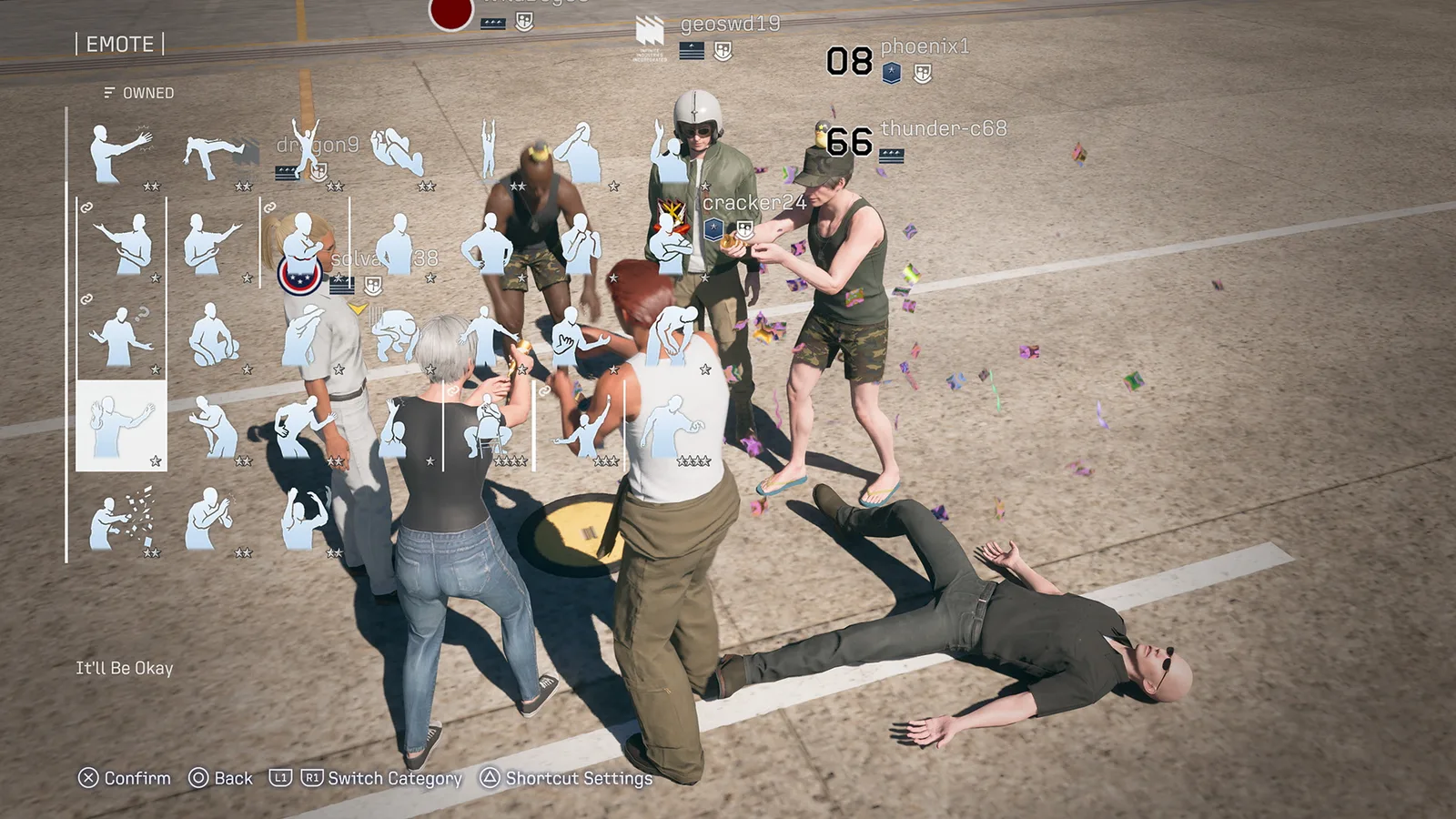
Ace Pass progression belongs to ACE COMBAT ONLINE, which has its own progression and save data separate from Campaign Mode. Looking through the campaign hangar is therefore the wrong starting point for an included online voucher. Campaign mission completion is also not a substitute for redeeming a seasonal pass.
- Launch the game on the account associated with the purchase.
- Enter ACE COMBAT ONLINE.
- Complete the introductory setup until the normal Online Menu is available.
- Open that menu using the button prompt shown by your platform.
- Look under Info, then Special Gifts, for the included voucher.
- If the voucher is available, claim it and read the displayed confirmation before continuing.
On PS5, the reported Online Menu input is Triangle once the full menu becomes available. On Xbox or PC, follow the prompt shown on screen rather than copying that PlayStation button. The important point is reaching the complete online interface, not pressing a particular controller button before setup is finished.
If you cannot enter Online at all, record that separately. An online connection failure can prevent you from reaching the voucher controls, but it does not show whether the store entitlement exists. Do not rewrite the problem as “pass disappeared” until you can inspect the relevant area or support has checked the entitlement.
Distinguish claiming the gift from redeeming the pass
A gift claim establishes access to the voucher. The voucher’s purpose is to be exchanged for Premium Ace Pass Plus through the in-game Shop. Treat those as two checkpoints when troubleshooting: first locate the voucher, then verify that you used it for the intended season.
Read the redemption screen carefully. The Deluxe voucher can be retained for a later season, so choosing when to exchange it is meaningful. If you deliberately saved it, seeing the current Premium track remain unavailable is consistent with that decision. You do not need to redeem it simply to make the missing-pass warning disappear from a season you did not intend to buy.
If you want Season 1, confirm that the screen identifies that season before accepting the exchange. Keep a screenshot of the confirmation or resulting pass state if you are already troubleshooting. This records what you selected without relying on memory of a fast-moving notification.
After redemption, return to the seasonal pass display and inspect its access and progress. Check the actual Premium state rather than only an individual item in a hangar or avatar menu. A single reward may have a separate use restriction or belong to a different content package; the pass display is a better place to decide whether the seasonal entitlement itself is active.
Use the expected Plus result as a diagnostic checkpoint
Premium Ace Pass Plus unlocks the first 30 of the season’s 100 levels at redemption, including the applicable free and premium rewards in that range. It does not mean all 100 rewards should immediately be available. A player who expects the entire track to complete can misinterpret ordinary progression as missing paid content.
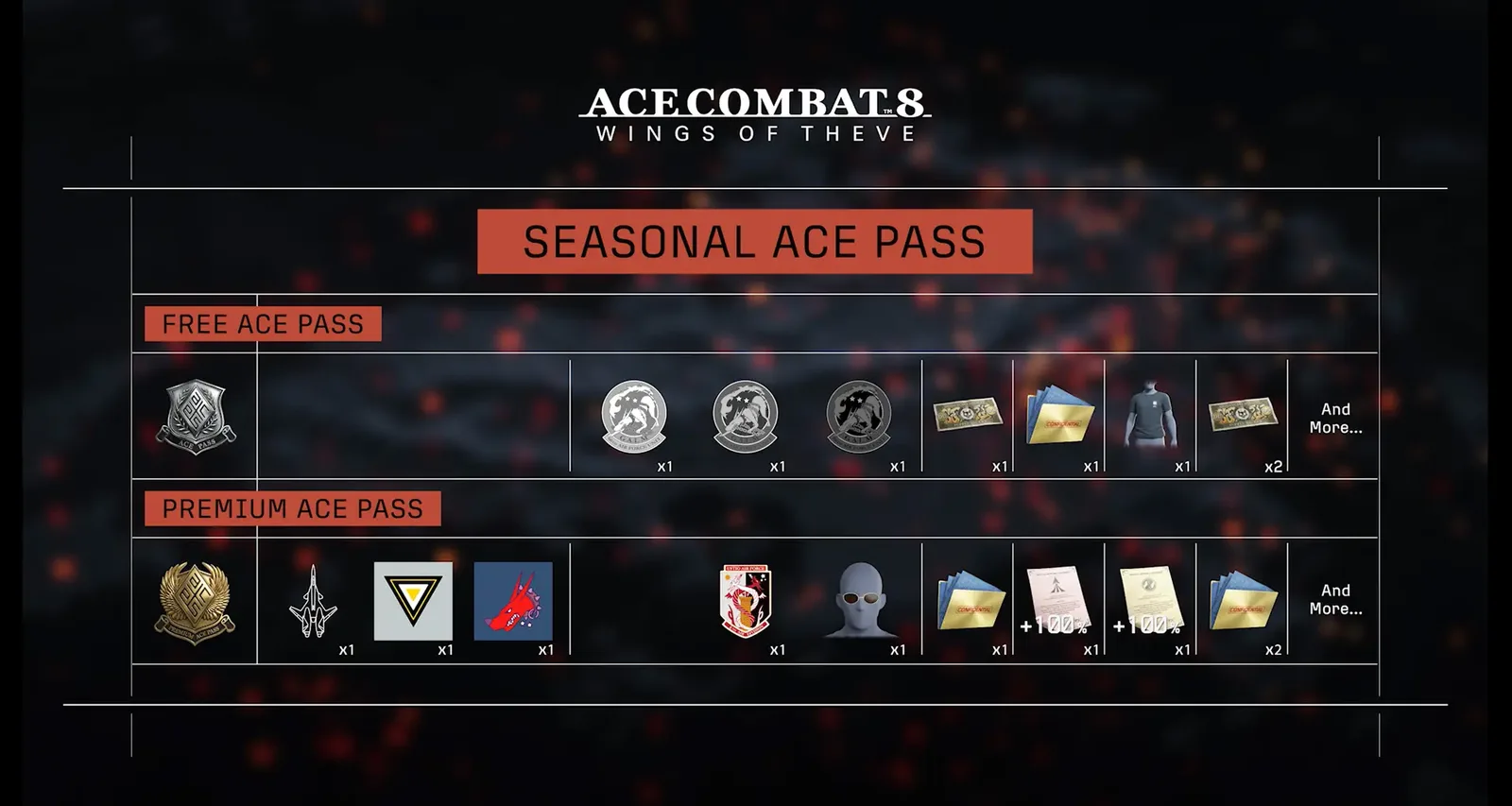
For Season 1, redeeming Premium or Premium Plus grants access to the ADFX-02 Morgan–PIXY and its special skin collection. Those are useful checkpoints for the season, but they should not replace the entitlement check. Campaign use of the reward aircraft requires clearing all campaign missions, so failure to select it during an unfinished campaign is not, by itself, evidence that the pass is absent.
Likewise, Deluxe cosmetics are a separate part of the edition. The Tasha costume and Scarlet missile smoke are online content. The included F-4E and F/A-18C skins have campaign restrictions. Their presence or absence can help describe your account’s state, but it does not turn them into the redemption switch for the Premium track.
If Premium access is active but the expected Plus skip is absent, include the exact product name in your report. Ordinary Premium and Premium Plus should not be conflated. Support needs to know whether the issue concerns access to the track, the additional skip, or a particular reward after the track is already active.
Check the purchasing account and installed content
If Special Gifts has no voucher, compare the account currently playing with the account shown on the receipt. Record the platform as well. Online cross-play lets pilots play together across platforms; it is not evidence that a purchase made on one platform grants an identical voucher on another.
Inspect the platform’s game content or add-on management area for the products associated with your edition. Check whether the Deluxe-related entitlement is listed and whether any offered associated content is installed. Use the labels your platform actually displays. Do not assume every platform exposes an identically named voucher download or the same menu structure.
For a physical package or printed game code, retain the original order details and the code redemption record. If the game is usable but the expected edition content is absent, those records help distinguish what the retailer sold from what the platform attached to the account. Do not share a full unused code publicly or paste payment information into a forum post.
Close and reopen the game after confirming the account and any pending installation. This is a reasonable way to repeat the entitlement check from a fresh launch, but it is not a proven fix for an unconfirmed defect. If the voucher remains absent, preserve the result instead of cycling through the same action indefinitely.
Match the next action to the observed state
| Observed state | Next useful action |
|---|---|
| Online setup is unfinished | Finish setup and inspect the complete Online Menu |
| Voucher is visible in Special Gifts | Claim it, then check the in-game exchange path |
| Voucher is owned but intentionally saved | Leave the current season unredeemed unless you choose otherwise |
| Premium is active but some later rewards are unavailable | Compare those rewards with the current pass level |
| Plus was purchased but the skip appears absent | Record the exact product and pass progress for support |
| Morgan is unavailable only in an unfinished campaign | Check its campaign-clear restriction |
| Edition entitlement is absent from the purchasing account | Gather purchase and redemption records for support |
| Online cannot be reached | Report the access failure separately from voucher ownership |
This table prevents a reward-level issue from being mistaken for a purchase-level issue. It also keeps you from using an unrelated operation, such as clearing the campaign, to solve a voucher problem. The best next action is the one that tests the earliest checkpoint you have not yet established.
Do not buy Premium again merely because a menu offers it. That offer can appear when the included voucher has not been exchanged. Another purchase may hide the original issue while adding cost, and it will not explain whether Deluxe’s included benefit was ever delivered.
Prepare a support report that can be checked
If the included voucher is still absent, send support a compact description with the platform, edition, purchase date, account ownership status, and the exact point where the content is missing. Include whether you reached Online, completed setup, inspected Special Gifts, and checked installed edition content.
Describe the problem as an observed state. “Deluxe voucher not visible in Special Gifts” is more useful than “everything is broken.” “Premium track active but Plus level skip absent” identifies a different failure. “Morgan unavailable in Campaign before campaign completion” may describe a use restriction rather than a delivery failure.
Attach screenshots of the edition entitlement, the relevant gift area, and the pass state where practical. Remove payment details, personal information, and full product codes. If an error appears, copy its exact wording and record when it occurred. A timestamp helps support correlate an account check without pretending that the time itself identifies a client version.
Keep any support response with your original report. If a team confirms a specific account problem, follow those instructions for that case. Do not generalize a fix applied to one account into a universal missing-pass bug affecting every Deluxe owner.
Stop when the entitlement has been established
A successful check ends with a clear account state: the voucher is available and saved, the voucher has been exchanged for the intended season, or Premium access is active with the expected product benefits. After that, normal reward progression and mode restrictions should be assessed on their own terms.
If none of those states can be established despite a qualifying purchase, the unresolved issue is entitlement delivery or recognition. The useful endpoint is then a documented support case, not repeated reinstallations or another purchase. Keep the voucher path, seasonal activation, Plus progress, and individual reward usability separate so that the reported problem remains specific and repairable.